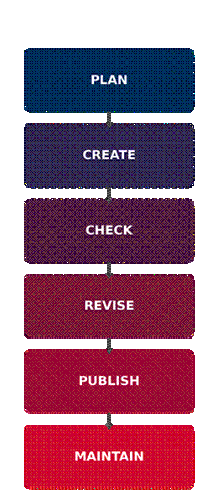
Accessibility Starts Before You Click Publish. If you want to ensure your document or webpage is accesible, consider this:
|
|
Before You Click Publish… Ask yourself: ☐ Is my content organized? ☐ Can someone navigate it? ☐ Are images described? ☐ Are links meaningful? ☐ Does color communicate appropriately? ☐ Are documents accessible? ☐ Is multimedia captioned? ☐ Did I use an accessibility checker? |
To begin, take stock of your content using the following strategies:
For each item on your list, make a plan to assess its accessibility and note what would resolve any accessibility problems in those materials.
Not sure what to do? Review the Faculty & Staff Resource section here to access tools that will help you review each of your content types. This section contains links to training that will show you how to remediate your existing content or create new content that is accessible from the start.
Ensure that the appropriate members of your team are aware of this regulatory change and their associated responsibilities.
This library is an ongoing project to compile all resources, videos, and tools available to faculty into one location for easy access and use. It will be continually updated as needs are addressed and resources are created. If you or your department would like more information on a topic, please contact Jennifer Roberts at jaroberts@usi.edu with your suggestions.
Digital Accessibility at USI- Faculty Handout
Simply Accessible: Creating Inclusive Course Materials
FAQ- Web Content and Accessibility Guidelines (WCAG)
7 Easy Steps to Creating an Inclusive Document
Accessibility Compliance PPT- University Day 2026
Cheatsheets from the National Center on Disability and Access to Education (NCDAE)
Getting your course ready? Start here! Below are simple guides and checklists to ensure your course is ready to go.
Ally works in Blackboard to test the accessibility of courses and the content inside of them. Ally allows instructors to see how accessible the content is and learn how to remediate it if there are issues. As course content improves, a meter tracks progress and provides guidance on overall quality.
Ally for LMS Help Center: Improve the usability and accessibility of your content
Using Your Ally Course Accessibility Report
Blackboard Title II Strategy Guide
Ally for Instructors Micro-Learning Series
Power Up: Blackboard Ally - Accessible Learning for Everyone Webinar
Driving Accessibility with Ally: Fast Implementation, Actionable Insights, and Ongoing Support
USI Web Content's Digital Accessibility Page
Creating Accessible Word Documents article
Creating Accessible PowerPoint Presentations: Overview
Tip Sheet on Microsoft PowerPoint
Learn more about Accessibility in Word.
Learn more about Accessibility in PowerPoint.
Learn more about Accessibility in Excel.
Adobe Acrobat's Accessibility Checker
Creating Accessible PDF Documents: Overview
Create and verify PDF accessibility (Acrobat Pro)
Inaccessible PDF Example Read with Screen Reader
Learn more about Accessibility in Adobe Acrobat.
Using Ally's AI Alt Text Assistant
Making STEM Content Accessible (University of California Irvine, 8.29.25; 8 min read)
Alternative Text That Actually Informs: A Guide for STEM Instructors (Inkable Docs; 11.10.25; 3 min read)
Accessibility in STEM Courses (University of Florida; 11 min read)
Descriptive links are hyperlinks whose text provides clear, meaningful information about where the link leads. They act as signposts, guiding students to the resources they need.
Descriptive links are especially crucial for students using screen readers or other assistive technologies, but they also benefit all students by improving navigation and comprehension. A key problem with vague, non-descriptive terms such as “click here” or “link” is that a person using a screen reader to find a link will encounter a list of links with the words “click here” or “link.” This can also be confusing for any user if there is not sufficient context
Not sure how to provide accommodations and make your course more accessible to all students? Take the Vector course “Best Practices for Providing Accommodations,” available through your myUSI portal under the"Training" menu.