


Click here for PDF copy to print
Read all instructions before registering.
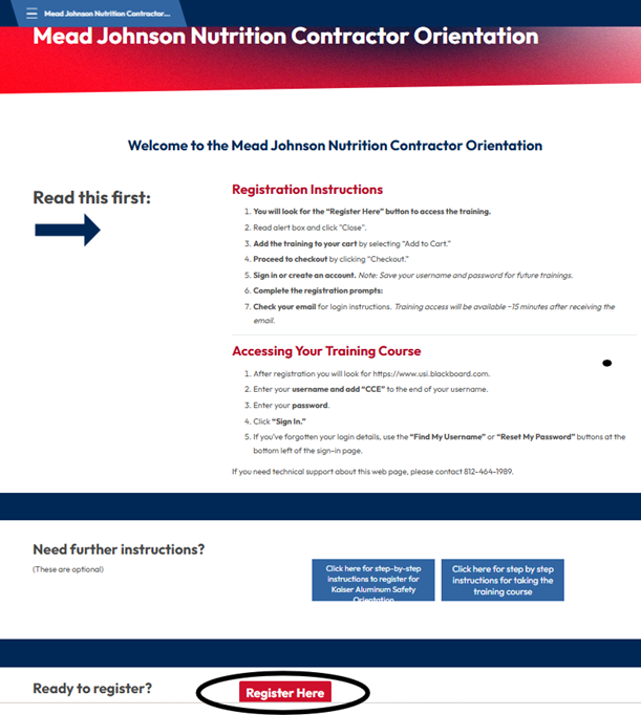
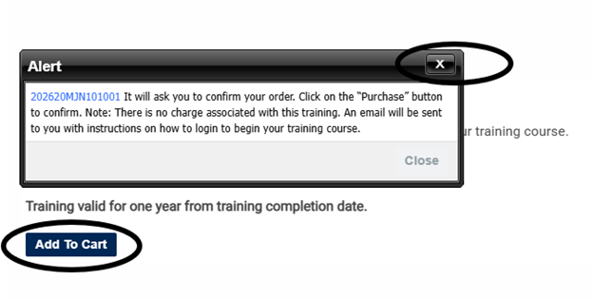
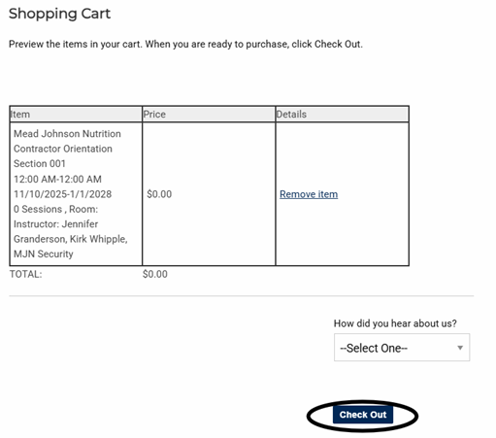
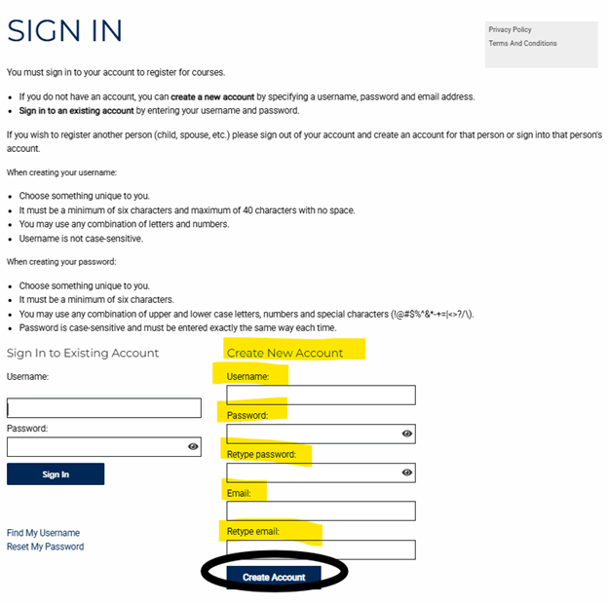
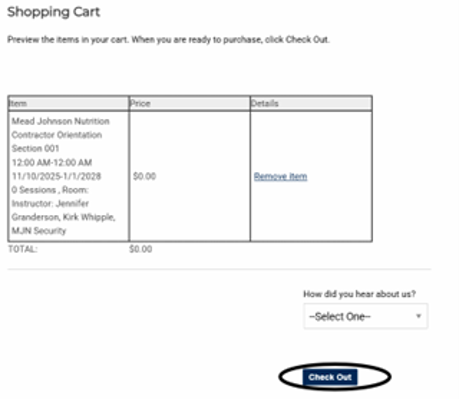
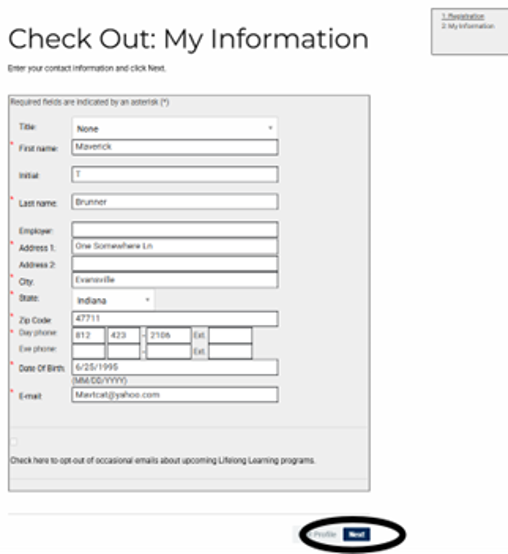
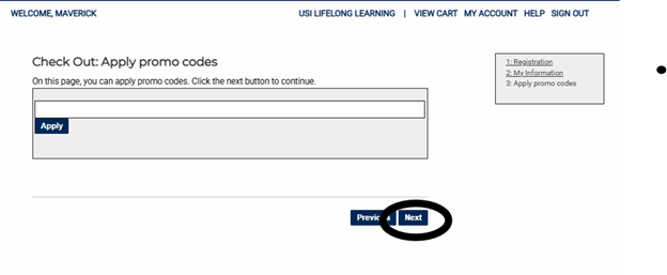
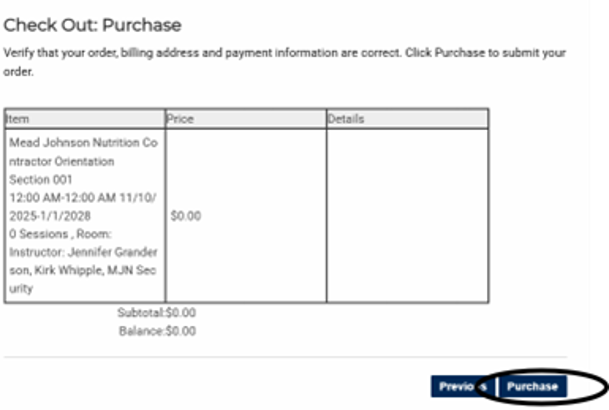
5. Create New Account if this is your first time taking the training.
When creating username we recommend using first name initial, middle name initial and last name. Example: Maverick T Brunner – it would be MTBrunner
On Thu, Jan 15, 2026, 2:18 PM <outreach@usi.edu> wrote:
Dear Bella,
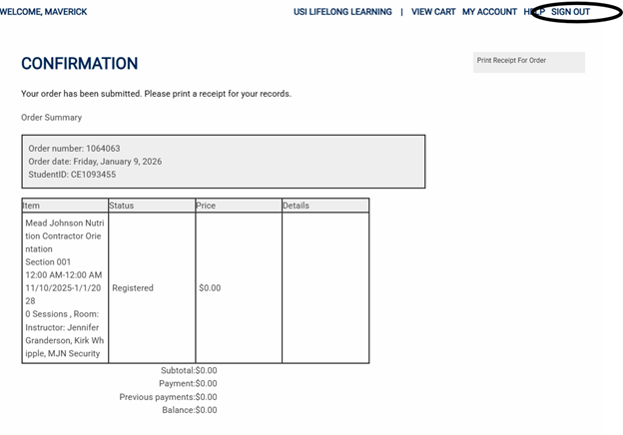
Thank you for your registration at University of Southern Indiana's Lifelong Learning! We appreciate your participation in our program; please review your class details, below:
Mead Johnson Nutrition Contractor Orientation
Status: Registered
Instructor: Jennifer Granderson, MJN Security, Kirk Whipple
Date(s): 0 Arr, 11/10/2025 - 1/1/2028
Time: Arr
Location: , , Room
Please read the instructions completely before starting.
To access the safety training:
• You will sign in using the username and password you created to sign up for the safety training course. At the end of your username add CCE. Example: if your username was MBrunner to sign in it would become MBrunnerCCE.
• If you do not remember your username or password, email outreach@usi.edu or call 812-464-1989 between the hours of 8 a.m. and 4 p.m. Central Time, Monday through Friday. After business hours please email pjnurrenbe@usi.edu.
Ready to start? Click to begin training: https://usi.blackboard.com/
NOTE: If you have trouble using Blackboard Learning System:
• Browse through https://www.usi.edu/it/learning-tools/blackboard/student-faqs.
• If you continue to have trouble, visit: https://www.usi.edu/it/learning-tools/blackboard/troubleshooting.
• If you need further assistance, please send an email to IT@usi.edu. In your email, please be sure to include your name, your username, and a detailed description of your problem.
• If you would like to speak to a support technician, you can call (812) 465-1080 during normal business hours 8 a.m.-4:30 p.m., Monday-Friday.
The following amount has been paid: $0
To review your schedule, class details, receipts and transcripts, please visit the "My Account" page.
We look forward to serving you. If you need further assistance, please contact our office by calling 812-464-1989 or reply to this email with any questions.
Sincerely,
Outreach and Engagement
University of Southern Indiana
8600 University Boulevard
Evansville, IN 47712
812-464-1989 (Office)
812-465-7061 (Fax)
USI.edu/Outreach
Course refund policy: Registration fees are refundable in full, less a 15 percent service charge.
Disability accommodations: If disability-related accommodations are required, contact Outreach and Engagement at 812-464-1989 or email at Outreach@usi.edu. It is recommended that you make this request at the earliest possible date to ensure that the requested accommodations are in place when needed.
Locations: